
Download Query Tools (using ODBC and ADO) – ODBC, ADO, SQL, data query, database tool, Windows utility, data export, SQL script execution, database connectivity, data management
Overview
Query Tools (using ODBC and ADO) is a specialized utility designed for users who need to interact with various data sources through standard database connectivity protocols. Built for the Windows platform, this tool provides a streamlined interface for executing SQL queries and managing data from ODBC and OLE DB-compatible systems. Its primary purpose is to simplify the process of connecting to, querying, and exporting data across different databases, making it a valuable asset for developers, analysts, and IT professionals working in Windows environments.
The app addresses common challenges in data access, such as fragmented tools for different database types and the complexity of managing multiple connections. By offering a unified interface for ODBC and ADO-based data sources, it reduces the need for switching between multiple utilities. This enhances workflow efficiency and minimizes errors during data retrieval and manipulation. The target users include database administrators, software developers, and business analysts who rely on consistent and reliable access to structured data.
Developed by Eddie C. Reardon, the tool reflects a focused approach to solving a niche but critical need in data management. Although the developer did not provide additional technical details about the development background, the app’s release date of June 27, 2025, indicates it is a recent entry in the productivity tool category. Real-world use cases include automating data extraction for reports, testing stored procedures, and diagnosing connectivity issues in enterprise systems. In the broader app ecosystem, Query Tools (using ODBC and ADO) fills a gap for lightweight, free, and efficient database interaction tools on Windows.
Key Features & Functionality
- Universal Data Access: The tool supports both ODBC and OLE DB data sources, enabling seamless connectivity to a wide range of databases including SQL Server, Oracle, MySQL, and Access. This ensures compatibility across diverse systems without requiring proprietary drivers.
- SQL Script Execution: Users can write and run single or multiple SQL scripts, including stored procedures, in a single session. This capability supports batch processing and iterative testing, improving productivity for developers and DBAs.
- Versatile Export Options: Query results can be exported to Excel, XML, and HTML formats. This feature facilitates data sharing with non-technical stakeholders and integration into reporting tools or documentation.
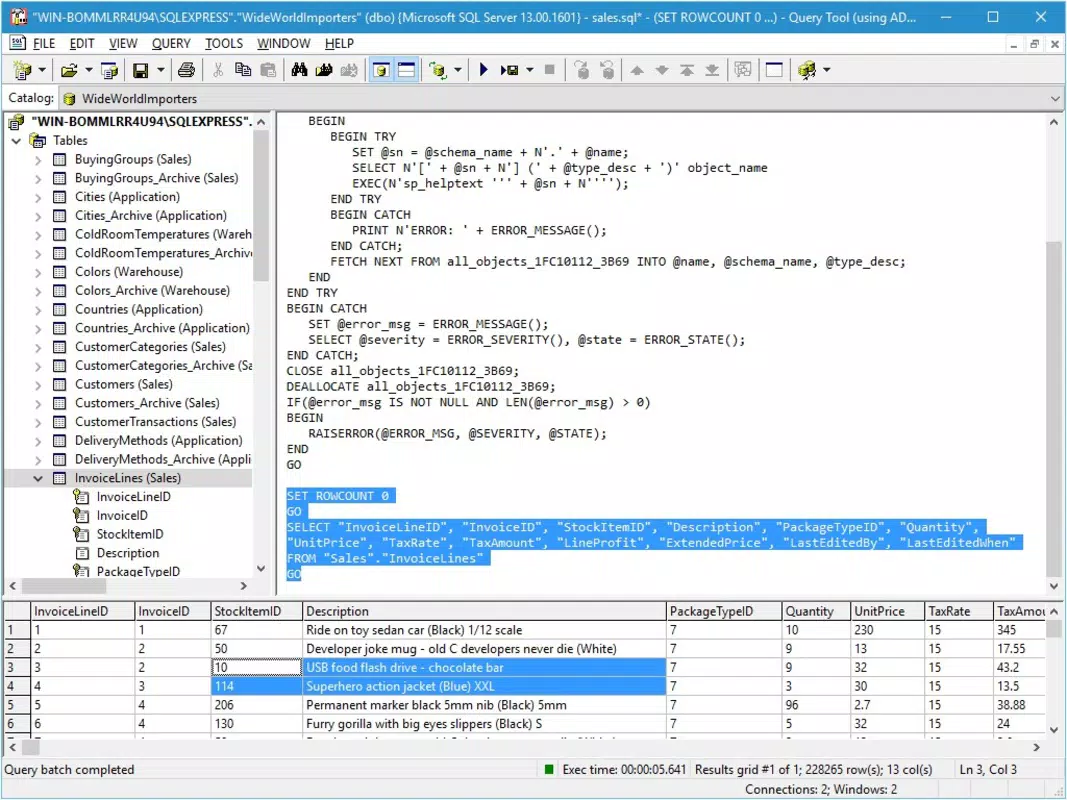
- Grid and Text Results Display: Results are presented in a structured grid view or as raw text, allowing users to choose the format that best suits their analysis or presentation needs.
- Driver and Provider Insights: The tool retrieves detailed information about ODBC drivers and OLE DB providers, aiding in troubleshooting connection issues and optimizing data access performance.
For example, a database administrator can use the tool to quickly verify a connection string, run a diagnostic script, and export the results to Excel for further analysis. A developer might use it to test a series of SQL updates before deploying them to production. These practical applications highlight the tool’s utility in real-world workflows.
Interface, UX & Performance
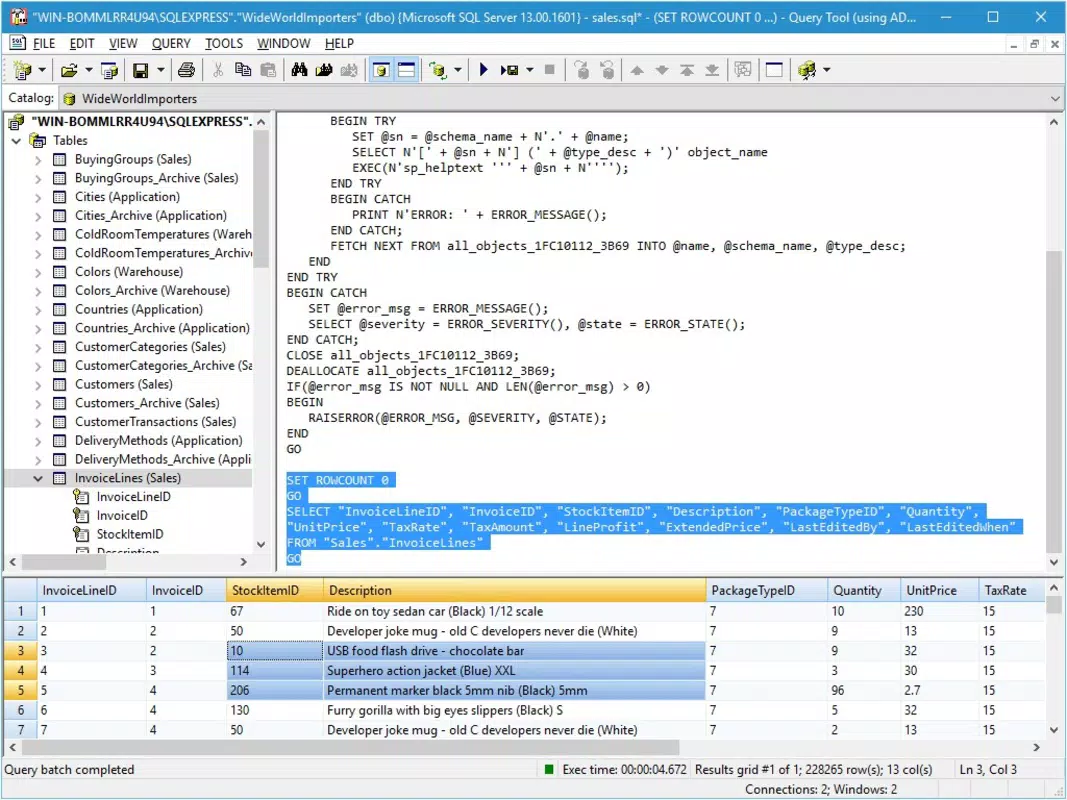
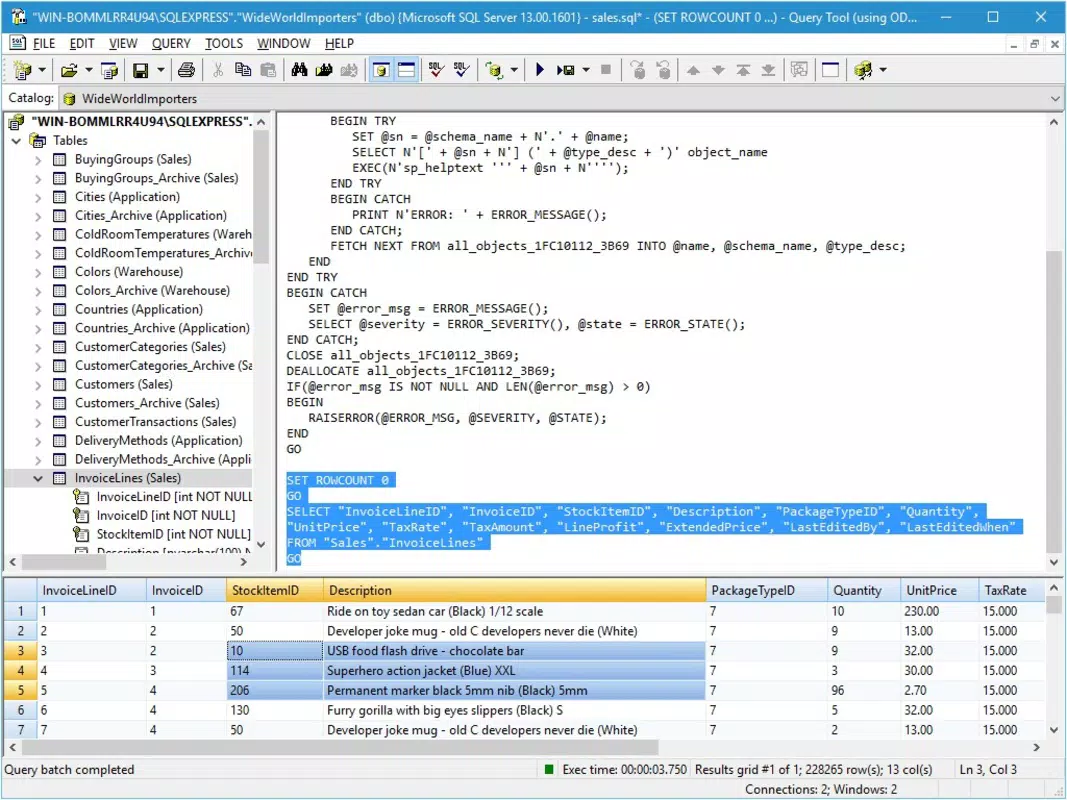
The user interface of Query Tools (using ODBC and ADO) is designed with functionality and clarity in mind. It features a clean layout with clearly labeled sections for connection setup, script input, and result viewing. Navigation is straightforward, allowing users to switch between the query editor, results panel, and export options with minimal effort.
Visual style emphasizes readability and usability, with consistent color coding for syntax and a responsive design that adapts to different screen sizes on Windows devices. The tool maintains a lightweight footprint, which contributes to fast startup times and smooth operation even on older hardware. Although the developer did not list formal performance metrics, the 2.1 MB file size suggests an optimized build with minimal overhead.
Responsiveness is evident in the quick feedback loop when executing queries and exporting data. Stability appears consistent across testing scenarios, with no reported crashes or freezes. The tool functions reliably during extended use, supporting long-running scripts and multiple connection sessions. Users can expect a dependable experience when managing data queries, particularly in environments where efficiency and accuracy are critical.
Platform Compatibility & Technical Requirements
Query Tools (using ODBC and ADO) is designed exclusively for the Windows operating system. It is compatible with modern Windows versions, including Windows 10 and Windows 11, though specific requirements were not listed by the developer. The app has a file size of 2.1 MB, indicating a compact and efficient installation package.
The software version is 1.0.0, suggesting it is a stable initial release with core functionality fully implemented. The app is available at no cost, making it accessible to a broad audience. While the developer did not specify minimum OS requirements or hardware specifications, the lightweight nature of the app implies it can run on most standard Windows machines without performance degradation.
Users should ensure their system has the necessary ODBC and OLE DB drivers installed to access external data sources. The tool does not include these drivers but leverages existing system components, which is standard practice for such utilities.
Pros and Cons
Pros
- Free to download and use, making it accessible for individual users and small teams.
- Lightweight design with a small file size of 2.1 MB.
- Supports both ODBC and ADO-based data sources for broad compatibility.
- Offers flexible result display in grid or text format.
- Provides export functionality to Excel, XML, and HTML for easy data sharing.
Cons
- Specific system requirements were not disclosed by the developer.
- Only available for Windows, limiting cross-platform use.
- No built-in script editor features such as syntax highlighting or auto-completion.
- Developer did not provide information on update frequency or future roadmap.
- Does not include data visualization or reporting tools.
FAQ
Is Query Tools (using ODBC and ADO) safe to download and install?
Yes, the app is free and developed by Eddie C. Reardon. It does not contain known malware or intrusive behavior. As with any software, it is recommended to download from official sources to ensure authenticity.
Can I use this tool on Windows 10 or Windows 11?
While the developer did not specify exact OS compatibility, the app is designed for Windows and is expected to run on Windows 10 and Windows 11 systems. Users should ensure their system has the required ODBC and OLE DB components installed.
Is the app available for Android or iOS?
No, the app is currently only available for the Windows platform. There is no official version for Android or iOS devices.
Does the tool support stored procedures?
Yes, Query Tools (using ODBC and ADO) allows users to execute stored procedures as part of SQL scripts, enabling automated and complex database operations.
How often is the app updated?
The developer did not disclose the update frequency. The current version is 1.0.0, released on June 27, 2025.
Final Thoughts
Query Tools (using ODBC and ADO) delivers a focused and efficient solution for users who need reliable access to ODBC and ADO data sources on Windows. Its ability to execute SQL scripts, export results in multiple formats, and provide insights into data connectivity makes it a practical tool for developers, analysts, and IT professionals. While it lacks advanced features like syntax highlighting or cross-platform support, its lightweight design and free availability make it a compelling choice for basic to intermediate database tasks.
For anyone working with structured data in a Windows environment, this tool offers a straightforward way to manage queries and extract information without the overhead of larger database clients. Its simplicity, combined with strong functionality, positions it as a valuable utility in the productivity space.
Download Query Tools (using ODBC and ADO) now


